
Subtotal ₨ 0
What is Hardware? An In-Depth Exploration
Introduction
In the realm of technology, the term “hardware” is fundamental, yet it’s often misunderstood by those outside the tech industry. Hardware refers to the physical components that make up a computer system or other electronic devices. These are the tangible parts that you can touch, unlike software, which consists of the instructions and data that the hardware executes. From the screen you are reading this on to the processor that enables it to display, hardware plays a critical role in the functioning of all modern devices.
Understanding Hardware
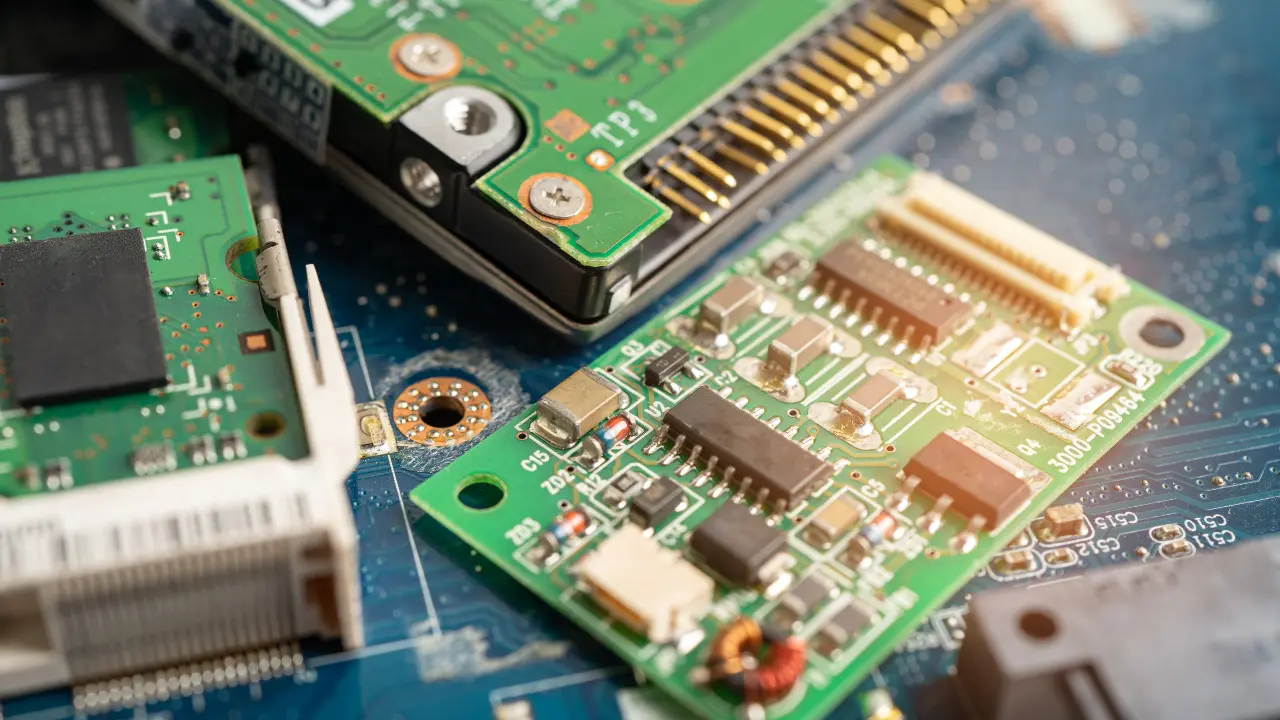
Hardware encompasses all the physical elements of a computer or other electronic systems. These include everything from the central processing unit (CPU) to the mouse, keyboard, monitor, and even the circuit boards within the device. Without hardware, software would have no platform on which to run, making it an essential part of any computing system.
Types of Hardware
Hardware can be broadly classified into two categories: internal hardware and external hardware.
- Internal Hardware: These are components housed within the device. They include:
- Central Processing Unit (CPU): Often referred to as the brain of the computer, the CPU executes instructions from programs and performs calculations.
- Motherboard: This is the main circuit board that connects all components of the computer, allowing them to communicate with each other.
- Memory (RAM): Random Access Memory (RAM) is used by the CPU to store data temporarily while performing tasks.
- Storage Devices: Hard drives and solid-state drives (SSDs) store all the data, including the operating system, applications, and files.
- Power Supply Unit (PSU): This component supplies power to the computer by converting electrical energy into a form usable by the system.
- Graphics Processing Unit (GPU): A specialized processor designed to handle graphics and image processing, crucial for gaming and professional design work.
- External Hardware: These are peripherals and devices that connect to the outside of the computer, enhancing its functionality. Examples include:
- Monitor: The screen that displays the visual output from the computer.
- Keyboard and Mouse: Input devices used to interact with the computer.
- Printers and Scanners: Devices that allow for the physical creation or digitization of documents and images.
- External Drives: Additional storage devices connected via USB or other interfaces.
- Network Devices: Modems, routers, and other devices that facilitate internet and network connectivity.
The Role of Hardware in Computing
Hardware is the backbone of any computer system. It provides the necessary structure for executing software applications and handling user inputs. The performance of a computer or device is largely dependent on the quality and capability of its hardware components. For instance, a powerful CPU and ample RAM can significantly enhance a computer’s speed and multitasking ability, while a high-end GPU is essential for rendering complex graphics in games and professional software.
Evolution of Hardware
The evolution of hardware has been marked by rapid advancements and miniaturization. Early computers, like the ENIAC, were room-sized machines with limited processing power. Today, we have smartphones that fit in our pockets and outperform those early behemoths by orders of magnitude. The development of integrated circuits in the 1950s was a major milestone, leading to the creation of microprocessors and, eventually, the personal computers we use today.
Modern hardware continues to evolve, with innovations such as quantum computing, artificial intelligence accelerators, and 3D-printed components pushing the boundaries of what’s possible. Each new generation of hardware offers more power, efficiency, and versatility, enabling new applications and transforming industries.
Hardware in Everyday Life
Beyond the confines of traditional computers, hardware is an integral part of many everyday devices. Smartphones, tablets, smartwatches, and even household appliances like refrigerators and washing machines all rely on sophisticated hardware to function. In the era of the Internet of Things (IoT), hardware is becoming increasingly interconnected, allowing devices to communicate with each other and the internet, leading to smarter homes and cities.
Challenges and Considerations in Hardware
Despite the advancements, hardware design and manufacturing come with their own set of challenges. Heat dissipation is a major concern, especially in high-performance computing systems, where components generate significant heat that must be managed to prevent damage. Power consumption is another critical issue, particularly in mobile devices where battery life is a key factor.
Hardware maintenance and upgrades are also important considerations. Over time, components can wear out or become obsolete, necessitating repairs or replacements. Upgrading hardware, such as adding more RAM or a faster CPU, can extend the life of a device and improve its performance.
The Future of Hardware
The future of hardware is both exciting and uncertain. Emerging technologies like quantum computing promise to revolutionize the field by providing computational power far beyond what is possible with current systems. Advances in materials science, such as the development of graphene-based components, could lead to faster, more efficient hardware. Meanwhile, the continued miniaturization of components and the rise of wearable technology suggest that the devices of the future will be smaller, more powerful, and more integrated into our daily lives.
Conclusion
Hardware is the foundation of all modern computing systems. From the simplest smartphone to the most complex supercomputer, every device relies on physical components to function. Understanding hardware is essential for anyone interested in technology, as it provides the building blocks upon which software and applications operate. As technology continues to advance, the role of hardware will only grow in importance, driving innovation and shaping the future of computing.
Whether you’re a tech enthusiast, a professional in the field, or just curious about how your devices work, gaining a solid understanding of hardware will deepen your appreciation of the technology that powers our world.
FAQs about Hardware
1. What is hardware in a computer?
- Hardware refers to all the physical components of a computer system. This includes everything you can touch, such as the CPU, motherboard, RAM, storage devices, and peripherals like the keyboard and monitor.
2. What is the difference between hardware and software?
- Hardware is the physical aspect of a computer system, including all tangible components. Software, on the other hand, refers to the programs and operating systems that run on the hardware and control its operation.
3. Why is hardware important in computing?
- Hardware is essential because it provides the platform on which software runs. Without hardware, software would have no environment in which to operate, making it impossible to perform any computing tasks.
4. Can hardware be upgraded?
- Yes, many hardware components can be upgraded to improve a computer’s performance. Common upgrades include adding more RAM, installing a faster processor, or replacing an old hard drive with a solid-state drive (SSD).
5. What are examples of external hardware?
- External hardware includes devices like monitors, keyboards, mice, printers, external hard drives, and USB flash drives. These components connect to the computer from the outside and enhance its functionality.
6. What is the role of the CPU in a computer?
- The CPU (Central Processing Unit) is often referred to as the “brain” of the computer. It performs calculations and executes instructions from programs, playing a central role in the overall operation of the computer.
7. How does RAM affect a computer’s performance?
- RAM (Random Access Memory) is used by the CPU to store data temporarily while performing tasks. More RAM allows a computer to handle more processes simultaneously, leading to faster and smoother performance, especially when multitasking.
8. What is the purpose of the motherboard?
- The motherboard is the main circuit board of a computer. It connects all the components, such as the CPU, RAM, and storage devices, and allows them to communicate with each other.
9. What are the different types of storage devices?
- The two main types of storage devices are Hard Disk Drives (HDDs) and Solid-State Drives (SSDs). HDDs use spinning disks to read/write data, while SSDs use flash memory, which is faster and more reliable.
10. How do graphics cards (GPUs) enhance computing?
- A Graphics Processing Unit (GPU) is specialized hardware designed to handle rendering images and video. High-performance GPUs are crucial for gaming, video editing, and other graphic-intensive tasks.